
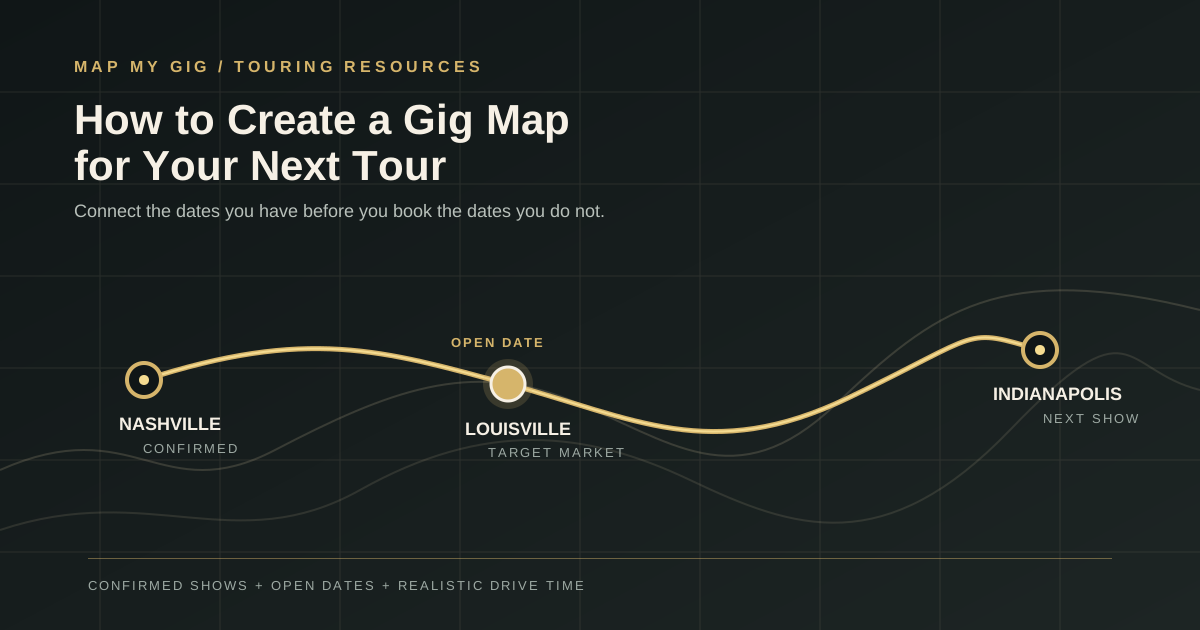
How to Create a Gig Map for Your Next Tour
Route PlanningA gig map is a simple picture of where your tour is going. It shows the confirmed shows, the open dates, and the possible stops that could connect them.
That sounds basic, but it changes the order of your decisions. Instead of booking one date at a time and hoping the route works later, you can see the route before you commit to the next room. You can spot a long drive, a needless backtrack, or a market that would make the whole run easier.
You do not need a perfect plan before you start. You need enough of a map to know which opportunities help the tour and which ones only make the calendar look full.
A gig map is not just a map of where you are playing. It is a way to decide which show makes the next show more realistic.
Start With What Is Already Confirmed
Begin with the dates and places you know are real. Add the date, city, venue, load-in time, and any travel limits for each confirmed show. If you are sharing the route with bandmates, include the details that affect the day, such as an early soundcheck or a hard curfew.
Then put those shows in travel order. Do not sort them by the order in which you booked them. The map should show the actual trip from the first departure to the last stop.
The first useful version can be a paper map, a shared map, or a spreadsheet with city, date, and status columns. The point is to put the route in front of you before you start adding more dates.
If route-first planning is new to you, start with this beginner guide to planning your next tour. It explains why the map belongs ahead of the calendar.
Mark Open Dates as Opportunities, Not Promises
Once the confirmed shows are on the map, mark the empty dates between them. Keep open dates visually different from confirmed dates. A blank date is a question to investigate, not a show you are guaranteed to fill.
Look at the show before and the show after each gap. Those two dates create the boundaries for your search. They tell you which direction you need to travel and how much time you have to work with.
Some open dates will be good booking opportunities. Others will be better as travel or recovery days. Deciding that early keeps you from forcing a venue into a route that cannot support it.
For a deeper walkthrough, read How to Fill an Empty Date Between Two Tour Stops. The same two-stop logic works whether you are planning one gap or a full run.
Judge the Drive, Not Just the Line
A straight line between two cities is only a rough clue. Roads, traffic, mountain passes, bridges, and the timing of your show can turn a short-looking trip into a hard day.
For each open date, compare two versions of the day. First, estimate the direct trip from the previous confirmed show to the next one. Then estimate that same trip with a possible show added. The difference is the added drive you are asking the band to absorb.
Leave time for fuel, food, parking, load-in, soundcheck, the performance, and sleep. A venue that is close to the midpoint may still be a poor choice if it creates a midnight arrival before the next morning's drive.
Touring Tip
Measure the venue's added drive time, not just its distance from the route. A town that is twenty minutes off the corridor can be more useful than a larger market that adds two hours.
Look for Backtracking Before You Book
Backtracking is easy to miss when you are looking at dates one at a time. You book a good room in a good city, then discover that the van has to pass the next stop, turn around, and cover the same road again.
Trace the route in order and ask what each show unlocks. Does it move you toward the next market? Does it shorten tomorrow's drive? Does it give you a useful reason to be in that region? If the answer is no, the show needs a stronger reason than its payout alone.
This is the same route logic covered in the guide to the biggest routing mistake independent artists make. A gig map makes that mistake visible while you can still change the plan.
- Reject a stop that sends you away from the next confirmed date.
- Question a route that passes a city twice without a clear reason.
- Compare the full drive, not only the drive between neighboring shows.
- Count lodging and recovery costs before calling an isolated show profitable.
Turn the Gap Into a Targeted Booking Search
Once you know the usable corridor, pick a few markets that could fit inside it. Look for towns where the band can arrive, play, and leave without putting the next confirmed show at risk.
Then search for venues that make sense for the music and the day. A small listening room, club, theater, brewery, or community space may be a better lead than the most famous room in the nearest city. You are looking for a credible fit that can work on this particular night.
Keep the first list short. Two or three realistic venues are easier to research well than twenty names pulled from a wide map. Use this practical guide to reliable venue research to check whether a listing is active and worth your time. Then use the venue-fit guide to compare the room, audience, setup, and booking history.
When you have a route-friendly venue, the route itself gives you a useful reason to reach out. You are not asking the booker to imagine why you are nearby. You already have shows on either side of the date. If you need help with the message, use this booking email template and explain the route in one clear sentence.
Work Through a Practical Route Example
Imagine you have confirmed shows in Nashville on Thursday and Indianapolis on Saturday. Friday is open. The first question is not, “What city has a venue available on Friday?” The first question is, “Which Friday market keeps the trip moving toward Indianapolis?”
Bowling Green or Louisville might be worth investigating depending on the actual route, timing, and venue fit. A city farther east or west could look attractive on a map but create a long detour. The best option is the one that leaves enough time to play Friday and still arrive for Saturday's show without turning the morning into a race.
Now compare the options in the same way. Note the added drive, the available venue types, the likely audience, the booking contact, and the next-day departure. If one market has a plausible room and keeps the route clean, it deserves targeted outreach. If none of them work, the honest answer may be to keep Friday as a travel day.
The middle show is valuable when it connects the dates around it. It is not valuable just because it fills Friday.
Know When a Spreadsheet and Map Stop Being Enough
A spreadsheet and Google Maps are useful when a tour is small. They become harder to manage when confirmed gigs, open dates, venue leads, contact notes, payout details, and route changes start living in separate places.
That is usually the point where you need one working view of the tour. You should be able to tell which dates are confirmed, which gaps are worth researching, how a venue affects the route, and what still needs a booking follow-up without rebuilding the same map every time a date changes.
Map My Gig brings those pieces into one workflow. You can organize the route, see open dates, search for venues near the corridor, and keep the booking work connected to the date it is meant to fill. It does not decide that every gap needs a show. It helps you make the decision with the route in view.
Touring Tip
Before you contact a venue, write down the reason it belongs on the map. If you cannot explain how the date fits the route, keep researching instead of sending another generic booking email.
Use the Gig Map Before You Commit
The best time to make a gig map is before the tour is full. Add the shows you know, mark the open dates, and test each possible booking against the whole route.
You will still change the plan. A venue will decline, a date will move, or a better market will appear. That is normal. The map gives you a way to make those changes without losing sight of drive time, costs, and the next show.
A strong tour is not the one with the most dots. It is the one where the dots make sense together.
Frequently asked questions
- What is a gig map?
- A gig map is a visual plan of your confirmed shows, open dates, and possible stops. It helps you see the route before you commit to more bookings, so you can compare drive time, detours, and realistic markets.
- How do I find an open date between two confirmed shows?
- Start with the two confirmed shows on either side of the date. Trace the practical driving corridor, estimate the time available for a show day, and search for a market and venue that keep you moving toward the next stop.
- How far should a venue be from my tour route?
- There is no universal radius. Choose a distance that leaves enough time for the drive, load-in, soundcheck, the performance, rest, and the next confirmed date. Added drive time matters more than a simple radius.
- Should every open date become a show?
- No. An open date can be a travel day or recovery day when the available bookings would create a bad detour, a poor venue fit, or too much pressure on the next show. A complete calendar is not always a better tour.
Ready to plan a smarter tour?
Map My Gig helps independent artists route better tours, find the right venues, and fill open dates.
Start planning freeAbout the Author

Shawn Wood is the founder of Map My Gig and Cape G Rocks. After years of working with independent artists and promoting live music, she saw firsthand how frustrating tour planning could be. Rather than accept the way things had always been done, she built Map My Gig to help artists spend less time juggling maps, spreadsheets, and venue lists, and more time doing what they love: making music.
Keep reading
How to Map a Music Tour Without Wasting Miles
Learn how to map a music tour around booked shows, realistic drive times, open dates, venue fit, and the true cost of adding another stop.
10 min read
How to Fill an Empty Date Between Two Tour Stops
Learn how to fill an empty date between two confirmed tour stops by planning the route first, setting a realistic radius, and finding venues that fit the drive.
8 min read
How to Book a Music Tour Without a Booking Agent
Book your own music tour with a practical guide to routing, venue research, booking emails, follow-ups, holds, and a budget that protects your earnings.
8 min read